My Dear Friends:

We moved to

www.SoftStreet.net


Please come to visit us
Thanks for your patient, Best wishes for you

Showing posts with label Software - Converter. Show all posts

Monday, April 14, 2008

Video2SWF v1.013


Video2SWF v1.013
Size: 3.28 MB


Video2SWF is an extremely easy program to convert your video files into streaming Macromedia/Adobe Flash files. Video2SWF is easy to use and is great for displaying your videos on websites, CD-ROMs, and presentations.
It Just Works! Over 97% of all browsers already have the free Flash player installed, so you won't have to worry about your audience being able to view your Flash video. Flash video will stream through firewalls! Flash video does not require a streaming server!. Put Flash video right on your website and it is ready for viewing without any extra hardware.

Features:
• Output Macromedia/Adobe Flash movie files (SWF). Over 97% of all browsers already have the Flash Player installed, so you won't have to worry about your audience being able to view your video.
• Output Macromedia/Adobe Flash Video files (FLV).
• Output HTML files to quickly generate a web page to show your video.
• Output self-executables to run on Macintosh and Windows based computers.
• Supports video formats: .avi, .dv, .mov/.qt, .mpeg (video only), .mp4, .wmv (Mac requires Flip4Mac plugin)
• Supports audio formats: .aiff, .mp3, .wav
• Supports image formats: .bmp, .gif, .jpg, .pic, .png, .psd, .tga, .tiff
• Select your videos compression quality and key frame intervals.
• Add customizable players to add playback controls, sound controls, scrub bars, and more.
• Add on click actions to launch web pages or load other SWF movie files.
• Add overlays/watermarks to easily brand your Flash video.
• Apply filters such as brightness/contrast, sepia tone, and oil paint
• In and Out point editing to choose a section of a video to encode
• Batch convert multiple video files at once
• Save project files so you can save your work to allow you to make changes over time.


Click Here to Read More

Tuesday, April 8, 2008

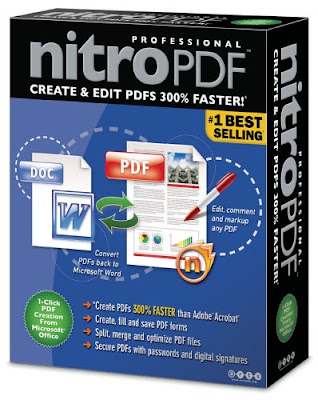
Nitro PDF Professional v5.3.3.6


Nitro PDF Professional v5.3.3.6
Size: 23.31 MB


Nitro PDF Professional is a high-quality, affordable PDF creation and editing application that puts the full power of PDF within everyone's reach. In addition to providing the basics — powerful, robust PDF creation at an extremely affordable price — Nitro PDF Professional includes the full range of top-shelf PDF functionality, opening up new vistas for current and new users of PDF.
Nitro PDF Professional is built from the ground up as the perfect PDF product for business and enterprise, combining an extremely competitive price with a no-compromises feature set that gives users the power to organize, edit, secure and create PDF.


Create, view & edit all of your PDF documents and gain full control over your PDFs with just the one application. Create PDF from Microsoft Office with one click and easily convert more than 200 file types to PDF. Copy, edit, and insert text, graphics and whole pages. Add automatic page numbering, date- and time-stamps. Add navigational aids like bookmarks and hyperlinks. For business users, Nitro lets you: markup and review documents using sticky notes, highlighting, and comments. Configure security settings, and control others' ability to print, edit, and/or copy your work.

Create and share
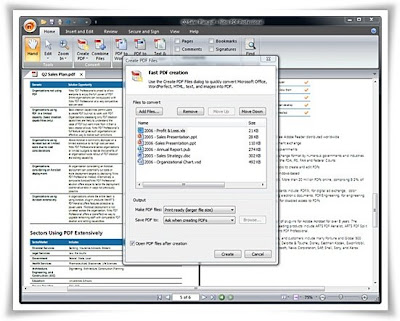
PDF is all about sharing information. You can send someone a PDF file and know they'll be able to view it correctly, no matter what kind of computer they have or what software they use. Nitro PDF Professional gives you the tools to create PDF from scratch, by converting existing files or from within any application that can print.

• Easy PDF Creation. Create PDF files with a single click from within Microsoft® Office applications, by converting from any of over 200 different file types, or by using the bundled Print-to-PDF printer driver.
• Create and edit compilation PDFs. Combine different files and file types into a single PDF file for convenient distribution. Add, remove and shuffle pages, or insert pages from other PDFs.
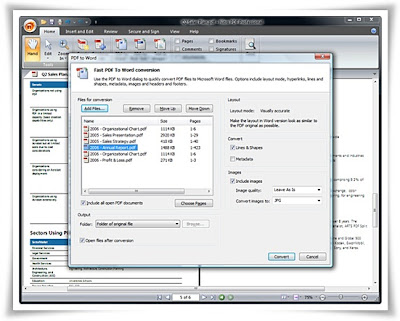
• Convert to Word. Convert PDF files back to Microsoft® Word format for easier editing and copying.


Edit PDF files
Nitro PDF Professional also gives you the ability to edit existing PDF files — so you don't have to go back to the original files if you want to make changes or corrections. You can also enhance your PDFs with an extensive range of interactive features.

• Directly edit text and images. Use intuitive editing tools to directly insert or edit text and images in PDF files.
• Stamps and watermarks. Apply stamps and watermarks to single or multiple pages - mark documents as approved, add letterheads, company logos, footers, and more.
• Intelligent stamps. Add page numbers, date stamps and Bates numbers to PDF files, with control over font, positioning, and more.
• Add enhancements and interactive features. Insert and modify the full range of PDF navigational and interactive features — links, bookmarks, buttons, hyperlinks, and JavaScript.

Intuitive commenting and review
The built-in review and collaboration features of PDF offer an alternative to ad-hoc email or paper-based processes that is light years ahead. With PDF the entire collaboration process is electronic, so nothing gets lost and all feedback stays organized.

• Intuitive tools. Add feedback in familiar and intuitive ways with sticky notes, highlighters, underlines, and more.
• Nothing gets lost. Comments and feedback are attached directly to the material being commented on, so nothing gets lost. And commenting is non-destructive — the original material remains intact for later reference.
• Organize feedback. Nitro PDF Professional's Comments Panel automatically keeps feedback organized, allowing you to see all commentary at a glance and to sort it by contributor, comment type, page, date submitted, and color.

Secure your work
The built-in security features of PDF give you exceptional control over the PDF files you create: encrypt files to prevent unauthorized access, restrict sensitive operations, and more.

• Encryption. Password-based PDF security encrypts the entire contents of your PDF files using the DES or AES algorithms, guarding against disclosure of sensitive information in the case of loss or theft.
• Set permissions. You choose what others can and can't do with your PDF files — document viewing, printing, editing, and copying can all individually be turned on or off, or secured with a password.

New in version 5.3.1:
* Create and apply digital signatures to your PDF files.
* Advanced image editing, including inserting, cropping, rotating, downsampling, replacing, extracting, and more.
* Export files for re-use in Microsoft Word, Corel WordPerfect, Open Office, and more.
* Extract all text and images.
* Batch processing for all exporting and Bates numbering features.
* Full support for Chinese, Korean, Japanese (CJK) and Central European (CE) fonts.
* Text Box and Call Out commenting tools for text-based feedback.
* 'Getting Started' help for new Nitro PDF Professional users.
* Email documents and forms from Nitro Pro.


Click Here to Read More

Tuesday, March 25, 2008

Zan Image Printer 5.0.2


Zan Image Printer 5.0.2
Size: 3.34 MB


Installed as a virtual printer driver, Zan Image Printer enables you to convert any printable document into a standard BMP/GIF/JPEG/JPEG 2000/PDF/TIFF/PNG image. The converted image retains all of the information from the original file and can be easily shared and viewed without the need for the original software. Zan Image Printer was developed in response to our user's needs and feedback. It is the most advanced and capable virtual image printer driver on the market today.

Powerful, easy to use features packed into a small download
Zan Image Printer 5.0 is small, the download size is only 3.4MB, but it contains both 64-bit(x64) and 32-bit(x86) drivers.
While Zan Image Printer is packed with a wide range of powerful features, it is easy to setup, use, and configure.
The clean, simple and intuitive user interface enables you to print to image file with just a few clicks! If you can print to a paper based printer, you can print with Zan Image Printer!


Vista ready, 64-bit(x64), Terminal Server/Citrix Metaframe support
Works on Windows 2000/XP/2003/Vista(including x64, Terminal Server, Citrix Metaframe) , supports network file saving and XP/Vista fast user switching. You can simply install Zan Image Printer on a Terminal Server and it will be available to every user the next time they log on to the Terminal Server.

Multiple printer instances, multi-threaded printing, multiple user sessions
You can install multiple copies of Zan Image Printer on your computer, each with its own unique settings. This is a handy time saver because you can switch between different printer settings easily. It’s also great for office environments because the IT department can configure the settings for the rest of the office.
Zan Image Printer is multi-user aware, each user has their own settings with the printer. It is also possible to configure Zan Image Printer so that all users share the same settings.
You can load balance print jobs across multiple Zan Image Printer instances for faster performance when you are printing large volumes of documents.

Support for running as an unprivileged "normal" user
To print to Zan Image Printer, a user doesn't need to be member of the power users group or the admin group which improves the security of the system. This makes it easy to deploy Zan Image Printer in security conscious network environments.


Print to TIFF image
TIFF formats include 1 bit per pixel(Monochrome), Grayscale, 256 color and 24 bit true color. Compression methods include CCITT Group 3(1D Modified Huffman - MH, 2D Modified READ - MR), CCITT Group 4(Modified Modified READ - MMR), Packbits(RLE), Deflate(Zip), LZW, JPEG and uncompressed. Support for multi-page, serialized, and appending mode is included. The appending mode allows you to build a multi-page TIFF file by concatenating and merging pages of multiple document types.
Zan Image Printer can also be setup to create fax ready files(TIFF Class F facsimile). With this capability, basically anything that can be printed can be used in a fax application.

Print to JPEG image
Supports saving documents as true color and grayscale JPEG files at a user-selectable quality factor, good for photographic or scanned images.

Print to PDF documents
You can save as raster PDFs(non-searchable PDF image). The "Append to existing file" option allows you to combine and merge multiple documents into a single PDF file easily. For example, you can create a single PDF File whose first page was printed from Word, the second from Internet Explorer and the last from Excel.

Print to BMP image
File formats include Monochrome, Grayscale, 256 color and 24-bit true color. RLE8 compression is supported for grayscale and 256 color images.

Print to GIF
You can save as Monochrome, Grayscale or 256 color GIF file. GIF is widely used on the Web and is best for low-color, sharp-edged images.

Print to PNG
PNG is a universal format and is supported by all modern browsers. Zan Image Printer supports Monochrome, Grayscale, 256 color and 24-bit true color PNG formats. Choose PNG when you will use the image for screenshots of Windows, or general web graphics.

Print to JPEG 2000
JPEG 2000 is intended to be new and improved image compression method that replaces JPEG files. It can operate at higher compression ratios which means smaller files for you.

Easy and simple programming interface
All options presented in the user interface can be controlled programmatically.
Numerous VBScript, VB, Delphi, C/C++, VC.NET/CLI, VB.NET and C# code samples are provided to get you started quickly!
Developers can choose to either use the Win32 APIs to access the INI setting files directly or simply call the provided command line utilities from their application.
Users can also perform batch document conversion(e.g. Word DOC, Excel XLS or HTML files to image) by printing to Zan Image Printer.

Paper size
All standard paper sizes(A4, Letter, Legal, A0, etc.) are supported. In addition, Zan Image Printer allows you to create user defined paper sizes. You are able to print on large paper size in seconds when printing in Black & White mode, especially useful for CAD users!

DPI Resolutions
A wide range of DPI resolutions are supported:
75 x 75, 100 x 100, 120 x 120, 150 x 150, 200 x 100, 200 x 200, 240 x 240, 300 x 300, 360 x 360, 400 x 400, 600 x 600, 720 x 720, 1200 x 1200, 2400 x 2400.
204 x 98, 204 x 196.
96 x 96, 144 x 144, 288 x 144, 288 x 288.
240 x 144, 240 x 288


Informative transparent status dialog
The friendly and informative transparent status dialog displays a wealth information about the current print status on screen once printing is started and it is automatically dismissed after printing.

History folder and file name database
Both features let you quickly select the previously used folder and file names. Additionally, the user interface provides access to history list for many other functions.

Dynamic file and folder generation based on macros
You can insert macro commands to create file and folder names, which allows you a great deal of flexibility to define how the file names are generated - without having to manually name each file every time you print.

Print to text file, text extraction
This feature lets you extract text from any printable document and save the text to a separate text file in addition to, or instead of creating the image file.

Compress and save to ZIP file
You can package the generated files into an industry standard ZIP archive after creation. This makes it easy to keep related files together and makes storing data faster and more efficient.

Automatically send Email(DNS MX LOOKUP/MAPI/SMTP) after creation
Instantly send out the file after creation. With the DNS MX LOOKUP method, sending Email is as easy as 1-2-3 since you don't need to care about the SMTP server, and no username/password will be asked. You can optionally Email the generated files as ZIP file attachment.

BMP Watermarks and Text annotation
This gives you the ability to watermark and copyright the generated images. You can mark your document with text strings which can include user defined text, the filename, Bates Number and many other macros. You can also select any BMP graphic to be used as watermark. Zan Image Printer even allows you to use bitmaps with transparency and lets you define the opacity of the watermark.

Printer redirection
The print job can be redirected to physical printers after the image is generated. This is a great feature to get a hard copy of the original document in addition to the electronic copy, or to store a record of all documents that are printed out.

Call the default viewer or run a user specified applications
You can specify whether Zan Image Printer should launch the default image viewer or run one or more applications for all generated image files at the end of printing. This feature allows you to automate batch image processing easily.

Image rotation
Rotate the page 90, 180, or 270 degrees clockwise. This is very useful for fax application.

Image scaling
Image scaling allows you to reduce the generated image to a specific pixel dimension for processing or distribution.

Invert
Invert the image, changing black to white, and white to black producing a negative of the image.

Trim white borders
Trim the white margins or borders around the image.

Show a dialog before printing starts
You can choose to popup a dialog before each print job, the popup dialog can be the Save As Dialog or Image Printer Dialog. It is also possible to bypass the popup dialog.


Here are some ways to use Zan Image Printer:
:: CAD vector to raster conversion(AutoCAD dwg/dxf to image conversion).
:: Print reports to TIFF file, then email them as attachments or fax them.
:: Convert Web page HTML files to TIFF or JPEG images.
:: Print an invoice to a BMP image and email it to your customer.
:: Convert Microsoft Excel spreadsheets and graphs, as well as PowerPoint presentation to BMP files.
:: File format conversion software - convert PDF to TIFF, convert PDF to JPEG etc.
:: Print your email into an image and send it so that everyone can read it.
:: Concatenate and combine all pages of multiple documents into a single TIFF/PDF file.
:: Convert Microsoft Word documents to TIFF files.
:: Save other printable documents to images for electronic document distribution.


Click Here to Read More

Friday, March 21, 2008

Apollo Audio DVD Creator 1.2.44


Apollo Audio DVD Creator 1.2.44
Size: 4.14 MB


Apollo Audio DVD Creator is an innovative tool to make your own music DVD. With Apollo Audio DVD Creator you can easily import over 1000 songs(MP3, WAV, WMA, OGG, MPG, AVI etc) or grab tracks directly from Audio CDs and burn into DVDR/RW disc.With powerful DVD navigation menu,you could browse and enjoy your favorite albums conveniently on car or home DVD player.

Features:
:: Put more than 1000 songs on one DVD with top audio quality.
:: Support importing various media formats,include MP3, WAV, WMA, OGG, MPG, AVI, WMV, ASF, AC3, RM anything playable on your PC.
:: Put 5-6 Audio CDs on one DVD disc with CD audio quality.
:: Direct CDs to DVD Copy without losing quality.
:: Burn DVD-Video compliant Disc that playable on any car or home DVD player.
:: Support LPCM, AC3, MP2 audio on DVD.
:: Super fast speed, only need about 30 minutes to create a LPCM format Audio DVD.
:: Create DVD navigation menu automatically with built-in background images.
:: Support various image formats as DVD menu background,include bmp,jpg,gif.
:: Save/load your project, and edit it anytime.
:: Create audio DVD to hard disk for later burning.
:: Support NTSC and PAL TV system.
:: Support a broad range of DVD-R/RW and DVD+R/RW burners.
:: Neat User Interface, 3 steps to burn your music DVD without any complicated parameter settings.


Click Here to Read More

Thursday, March 20, 2008

DVD 2 AVI Ripper 2.11.0.45


DVD 2 AVI Ripper 2.11.0.45
Size: 3.19 MB


DVD2AVI Ripper is a powerful and easy-to-use tool that lets you make backups of your home DVD movies. DVD2AVI Ripper produces high-quality AVI (DivX, XviD, MPEG-4, etc.) video files. With DVD2AVI Ripper, you can select the subtitle language, audio track, output file resolution and frame rate, and zoom (Letterbox, PanScan, etc.). DVD2AVI Ripper also lets you preview your work.

Main features:
:: Rip DVD to AVI (DivX, XviD, MPEG-4, etc.)
:: User-defined file resolution, frame rate, bitrate, zoom, subtitle language and audio track
:: Fast conversion with MMX, SSE, SSE2, 3DNOW optimization and automatic processor detection (Pentium 3, Pentium 4, Athlon).


Click Here to Read More

Tuesday, March 18, 2008

AcroPlot Pro v7.1 Build 2008-02-13


AcroPlot Pro v7.1 Build 2008-02-13
Size: 41.70 MB

Convert AutoCAD DWG Files to PDF and DWF with AcroPlot Pro!
Works With or Without AutoCAD!


AcroPlot Pro™ is the next generation in digital CAD conversion software. With the capability to convert an extensive list of file formats to PDF, DWF, and images AcroPlot Pro will serve as a nexus for CAD Professionals everywhere.

Input Formats: DWG, DXF, DOC, TXT, RTF, XLS, BMP, CALS, JPG, GIF, TIFF, PLT and more.
Output Formats: PDF, DWF, BMP, CALS, JPG, GIF, GP4, PNG, TIFF

Features:
:: Includes a full version of the PDF Printer Driver to create PDF files from any application.
:: Converts all major office, various CAD, and graphics formats.
:: Create single or multi-paged PDF and DWF files.
:: Merge existing DWF files into one multi-paged DWF 6 files.
:: Full support for AutoCAD 14 and newer. Also supports all vertical applications including ADT, MDT, LDDT, and Map.
:: Powerful built-in viewer allows users to create and convert without AutoCAD installed!
:: Convert legacy PLT, TIFF, CALS, and GP4 files to either DWF or PDF.
:: Automatic rotation of PLT and graphics files ensures the proper orientation every time.
:: Built-in engineering paper sizes and complete customizable paper sizes insures that output can meet any standard or requirement.
:: Includes the AcroPlot Jr. program also for conversion from inside of AutoCAD.

AcroPlot Pro is the first batch conversion program to support the lines merge option from CAD programs. With the lines merge there is no more worries about the draworder to get a PDF that looks and prints just like your normal output to the plotter.

Input Formats Supported in Batch Mode
:: DWG, DXF - AutoCAD up to 2008. AcroPlot converts all AutoCAD formats even if you do not have AutoCAD installed by using our own internal viewer. The viewer does an excellent job, supports ctb files, lineweights, most image formats, OLE embedded objects, and ADT 2007 and 2008 custom objects.
:: DWF - Autodesk's Design Web Format (Version 4.2, 5.0, 5.5, and 6.0)
:: DOC, XLS, DOCx, XLSx, TXT, RTF - Word, Excel, and text formats
:: BMP, CALS, JPG, GIF, GP4, TIFF - Image formats.
:: PLT - HPGL, HPGL/2, and most HPGL-RTF plotter files.
:: PDF - Adobe Portable Document Format
:: Inventor, Solidworks, Microstation, and all other Windows Applications are supported in manual mode through the PDF Printer Driver that is included with AcroPlot Pro. You can then select the PDF files that you have previously created to merge with the PDF files you are batch converting through AcroPlot Pro.

Output Formats Supported
:: PDF - Adobe Portable Document Format
:: DWF - Autodesk's Design Web Format Version 6.0
:: DOC, XLS, TXT, RTF - Word, Excel, and text formats
:: BMP, CALS, JPG, GIF, GP4, TIFF - Image formats.

System Requirements
:: No AutoCAD application is required to run AcroPlot Pro! But if you do have AutoCAD 2000-2008 or one of the vertical applications installed it will use AutoCAD to plot which results in higher quality and smaller PDF files.
:: Fully supported on Windows 2000, Server 2003, XP, XP64, Vista, and Vista 64.
:: Unsupported on Windows NT, 98, and ME. Sine Microsoft and Autodesk has dropped support for these operating systems we have also decided to not support them any longer.
:: You should also have the latest updates and service packs installed.
:: 100 MB of free disk space on the C: drive.
:: 512 MB of RAM minimum. (1 GB or higher recommended.)
:: Pentium 1 GHz or better processor minimum. (Pentium 1.8 GHz or higher recommended.)
:: 1024 x 768 with video display or higher.
:: Permission to add and modify system printers. If you do have this ability then please have your System Administrator install the program.

Download From Rapidshare
or
Download From Easy-Share


Click Here to Read More

Tuesday, March 11, 2008

MultiExtractor v2.72c


MultiExtractor v2.72c
Size: 2.89 MB


MultiExtractor is an application that allows you to extract/recover multimedia files. MultiExtractor is different from other extractors because:

:: It extracts image/audio/video files (BMP, JPG, GIF, PNG, PCX, TGA, ICO, CUR, TIFF, EMF, WMF, XM, MOD, WAV, OGG, MP3, MID, S3M, AVI, MPG, DAT, ASF, MOV, SWF, BIK, SMK)
:: It has a conversion support (PNG [ New ], BMP, JPG, ICO, Vista icons)
:: It can extract files stored in Microsoft® Office files, Portable Document Format, Databases, raw or binary files (like *.doc, *.docx, *.ppt, *.pptx, *.xls, *.xlsx, *.pdf, *.db, *.raw, *.bin, *.hex...)
:: It can also extract multimedia (stored as resources or binaries ) from PE files (*.exe, *.scr, *.dll, *.ocx, *.ax...)

:: It can unpack archives (ZIP, RAR, CAB+InstallShield Cabinets, JAR, CHM) and extract data from them
:: It has a dynamic explorer (all data is mapped)
:: It has a very strong filtering options (like icon properties, image properties, size of files)
:: It can extract encrypted/packed resources of executable file
:: It uses drag&drop interface and clipboard.


Click Here to Read More

Thursday, March 6, 2008

3D Object Converter 4.101


3D Object Converter 4.101
Size: 2.67 MB


This page is the official homepage for 3D Object Converter, a powerful 3d model translation and interactive viewing shareware tool that allows arbitrary 3d model data to be imported from external sources, exported to various industry standard 3d file formats with great accuracy and quality.

:: Automated installation utility.
:: Automatic file format recognition.
:: Automatic polygon checking and repairing function during (scene) loading.
:: Batch converter module.
:: Color wireframe / flat shaded / gouraud shaded / vertex color shaded / textured rendering mode.

:: Drag and Drop support (to load object).
:: Fast import and export process.
:: Fully dynamic memory allocation, so the program only uses as much memory as it needs.
:: FullScreen OpenGL rendered interactive object viewer with mouse wheel support.
:: Material per polygon support.
:: Material editor.
:: Multiplatform ASCII file loader technology.

:: No DLL requisite.
:: Options (for general, view, colors, import, export).
:: Portable application.


Click Here to Read More

Wednesday, March 5, 2008

Image Convertor Plus v7.1.10


Image Convertor Plus v7.1.10
Size: 4.85 MB


Image Converter Plus is a professional converter for graphic files, photos, drafts, finance documents and other images of any type. Up-to-date technology makes it possible to create a powerful converter ideal for image processing tasks.

:: Conversion of 800+ image format dialects
:: Advanced image resizing
:: Time saving profiles (scripts)
:: Command line batch conversion
:: Right-click conversion
:: Make Thumbnails
:: Supported RAW formats
:: Split a multipage file


Click Here to Read More

Tuesday, March 4, 2008

Image Badger Deluxe 4.85


Image Badger Deluxe 4.85
Size: 8.59 MB

Save time and improve your photos and images at the same time!

Don't waste time manually processing or converting your images. With ImageBadger, you can improve your images with a wide range of filters, like resize, rotate, brightness, etc.

You will get back the low cost of ImageBadger within hours, from all the time you will save. Why waste hours or days doing something ImageBadger can do for you within seconds?

Whether you want to improve your family photos, or get an edge on your competition, ImageBadger is the ideal solution. When a batch of images need to be enhanced, converted or processes, the Badger will do the job without hassle!

Convert from any of these image formats:
AFP, ANI, AWD, BMP, CAL, CIN, CIT, CLP, CMP, CRW, CUR, CUT, DCR, DJV, ECW, EMF, EXF, FAX, FIT, FLC, FLI, FPX, GIF, HGL, ICA, ICO, ICON, IFF, IMG, ITG, JPEG, JPG, JTF, KDC, LMC, LV, MAC, MSP, PBM, PCD, PCX, PGM, PICT, PNG, PPM, PRN, PRT, PSD, PSP, PSPIMAGE, PTK, RAS, RTF, SCT, SFF, SGI, SID, SMP, TFX, TGA, TIF, TIFF, TIFX, WBMP, WFX, WMF, WMZ, WPG, XBM, XPM, XWD


Into any of these:
ANI, AWD, BMP, CAL, CIN, CMP, CUR, CUT, Copy to Clipboard, EMF, EPS, FAX, FLC, GIF, ICA, ICO, IFF, IMG, ITG, JPG, MAC, MSP, PBM, PCT, PCX, PGM, PNG, PPM, PSD, PSP, RAS, RAW, SCT, SFF, SGI, SMP, TGA, TIF, TIFX, WBMP, WFX, WMF, WPG, XBM, XPM, XWD

Features highlight:
:: Convert images in just 2 clicks from Windows Explorer!
:: Right-click the image(s), and choose the desired image format.
:: Batch process thousands of files
:: Easily apply filters like resize, crop or contrast to batches of files.
:: Quickly resize and rotate images!
:: Making thumbnails and enlarging multiple images is no longer a hassle.
:: More than 40 image filters
:: Resize, rotate, color resolution, flip, crop, blur and much more.
:: See all filters!
:: Customize the right-click menu
:: Add or remove image formats and filter profiles from the right-click menu.
:: Commandline Support
:: Access all of ImageBadger's powers through commandline parameters.


Additional features:
:: Preview images before processing them.
:: Save and load image lists.
:: Easily copy images to the clipboard.
:: Extract each frame of animated/multi-page images.
:: Customize image format options.
:: Get helpful tips from the Badger.
:: Customize output folder and filename for the processed images.

Download From Rapidshare
or
Download From Easy-Share


Click Here to Read More

Monday, March 3, 2008

ImageConvertor Plus 7.1.10 build 80125


ImageConvertor Plus 7.1.10 build 80125
Size: 4.85 MB


Image Converter Plus is used to manipulate graphics files. For example, it can reduce image size for Web publishing. Still, the main purpose of the program is changing formats of existing files as well as image correction. It can also apply various filters and effects to a large number of images in batch mode. Image Converter Plus can process more than 100 graphics formats and save resulting images into most popular image formats.

While converting files, you can apply various operations (Resize, Crop, etc.) and effects (Sharpen, Emboss, v.b.....) to any number of images. These effects can be applied in any needed order. Apply operations and effects in different order to achieve different conversion results.


Click Here to Read More

PDF to InDesign Conversion Tool 1.1


PDF to InDesign Conversion Tool 1.1
Size: 7.46 MB


PDF2ID converts PDF documents into a fully editable InDesign file recreating the intended construction and layout of the document. PDF2ID recreates the intended construction and layout of the document by forming paragraphs; applying styles; regrouping independent graphic elements; extracting images; creating tables; recovering annotations and other elements automatically. PDF2ID converts every page in a PDF file to an equivalent page in the resulting InDesign document.

PDF2ID also provides options for converting or extracting data from a range of pages in a PDF document. You can extract text or images, or convert the entire document to the InDesign format.

PDF2ID enables recovery and reuse of the contents stored in PDF documents making them available for use by anyone. Since PDF2ID is a plug-in for Adobe InDesign it is not necessary to acquire and install additional PDF editing software and tools, resulting in huge cost savings in both time and expense.

Features Summary
:: Open and Convert PDF documents directly in Adobe InDesign CS2/CS3
PDF2ID is a plug-in for Adobe InDesign that enables you to directly open and convert PDF documents with in Adobe InDesign CS2/CS3 and supports both the Macintosh and Windows platforms.

:: Specify Conversion Options
PDF2ID provides detailed conversion controls such as converting the entire PDF file; extracting only text; recovering only images and annotations contained in a PDF document allowing fine-tuning the conversion process.

:: Familiar Interface
PDF2ID uses the standard Adobe InDesign interface for opening a PDF document- there is no need to learn anything new.

:: Quick
PDF2ID converts a PDF file to Adobe InDesign format within seconds.

:: Password Protected PDF documents
Convert password-protected PDF documents1.

:: Multi-Language/Asian Language Support
Supports English, Japanese, Chinese, Korean and Western European-language data contained in PDF documents.


Click Here to Read More

AutoCAD DWG and DXF To PDF Converter 2.0


AutoCAD DWG and DXF To PDF Converter 2.0
Size: 2.87 MB


AutoCAD DWG and DXF To PDF Converter allows you convert DWG to PDF, DXF to PDF directly without need of AutoCAD, it converts DWG and DXF files into vector PDF files, quick and easily.

AutoCAD DWG and DXF To PDF Converter features:
:: Converts DWG and DXF to quality PDF files;
:: Create a single merged PDF file from several DWG and DXF files or create an individual PDF file for each DWG and DXF file selected;
:: AutoCAD DWG and DXF To PDF Converter can also be used from the command line to batch-process multiple conversions;
:: More than 40+ paper types supported;
:: Doesn't need of AutoCAD, AutoCAD DWG and DXF To PDF Converter creates high quality vector PDF files from CAD drawings;
:: It is convenient and easy to operate, and DWG and DXF files can be directly dragged from Windows Explorer and converted fast;
:: It supports sorting on file name, file path, file size, file type modes when conversion in batch;
:: It supports single file process, single directory process, multi-level directory process and many other process way;
:: In the case of batch conversion, several DWG and DXF files can be merged to create a single PDF file, or each DWG and DXF file be converted into a PDF file;
:: Password protection for PDF files with 40 or 128 bit encryption;
:: Set file permissions to restrict printing, copying, and future modifications to the document;
:: Auto open PDF file after creation;
:: Specify any resolution in the generated PDF file;
:: Optimized to increase speed;
:: Set the document title, subject, author and keywords;
:: It supports monitor multiple directories;
:: AutoCAD DWG and DXF To PDF Converter supports a wide variety of versions of DWG and DXF files, it supports DXF or DWG files from R12, R13, R14, 2000 and 2004, etc. formats;
:: Supports wildcard character, for example: *.dwg, a*.dxf, etc;
:: Supports all Windows platforms, 95/98/ME/NT/2000/XP/2003/Vista (32bit and 64bit);


Click Here to Read More

VeryPDF PDF Extract TIFF 2.0


VeryPDF PDF Extract TIFF 2.0
Size: 1.42 MB


PDF Extract TIFF software is a simple and affordable extraction tool that facilitates the reuse of PDF files by enabling you to extract images from PDF files and save them as TIFF images. You can then use or edit the images in other Windows applications such as MS Word, Adobe Photoshop, or any other image enhancement/manipulation program.

PDF Extract TIFF software can be used to extract pictures from your PDF file on the fly, but it can't convert text, graphics and other information into the TIFF or JPG files.


Click Here to Read More

VeryPDF PDF2TXT 3.2


VeryPDF PDF2TXT 3.2
Size: 1.39 MB


PDF2TXT (PDF to Text) software does extract text from PDF files, PDF2TXT (PDF to Text) is a standalone application, it does NOT need Adobe Acrobat or Adobe Reader software. PDF2TXT (PDF to Text) processes at high speed and you can convert any number of PDF files to text files at one time.


Click Here to Read More

VeryPDF PDF2Word 3.0


VeryPDF PDF2Word 3.0
Size: 3.83 MB

PDF2Word (PDF to Word) software exports the text, images and other contents from any PDF document into MS Word document format (RTF or Word), so you can edit and reuse your PDF content. PDF2Word (PDF to Word) preserves the original PDF text, layout and bitmap images in the generated Word document. PDF2Word (PDF to Word) software is a standalone program and does not require Microsoft Word, Adobe Acrobat, or even Acrobat Reader.


Click Here to Read More

Sunday, March 2, 2008

Pinnacle Mobile Media Converter 1.00.050


Pinnacle Mobile Media Converter 1.00.050
Size: 22.13 MB


The Pinnacle Systems Mobile Media Converter™ software is the perfect tool for people who need to watch video while they’re on the go.It’s a fast and easy way to convert and move PC-based video files or non copy protected DVD movies to mobile players such as the Sony® PSP and video-capable Apple® iPod®.Pinnacle Mobile Media Converter™ is a software tool that makes it easy to move PC-based video files and DVD movies to portable movie players, including the Sony® PSP™ and the video-capable Apple® iPod®.
Take your favorite TV shows, movies and other personal video content on the road, and share them with friends and family.It’s easy to use, too: Just select the file or DVD movie you want and hit START. Mobile Video Converter uses high-quality DivX technology and is optimized for hyper-threading technology and new generation dual-core processors.

Watch your favorite videos on today's hottest portable media players.

Maximum compatibility
Create video files compatible with the Sony PSP and the Apple iPod, Creative Zen and Archos media players, or 3GP/MPEG-4 capable phones. Pinnacle Mobile Media Converter™ accepts most popular import formats such as MPEG-1, MPEG-2, MPEG-4, DivX® and DVDs*.
Easy-to-use

Simply select a video and hit START. Video files are transcoded and transferred** automatically. Sony PSP Fit-to-Stick feature compresses at the best resolution for device’s free space. NEW! — Now exports H.264 files to the Apple iPod.
Fast video conversion

The Pinnacle Mobile Media Converter uses high-quality DivX technology for transcoding and is optimized for hyper-threading technology and new generation dual-core processors for up to 2x faster performance.
:: Works only with non-copy protected DVDs.
:::: PSP only. Transferring video to the Apple iPod requires iTunes.

Minimum System Requirements
:: Windows® XP (SP1 or higher)
:: Intel® Pentium® or AMD® Athlon® 1.0 GHz or higher (P4 1.5 GHz or higher recommended)
:: 512 MB RAM
:: DirectX® 9 or higher compatible sound card (Creative® Audigy® or M-Audio® recommended)
:: 500 MB disk space
:: 1 USB port for mobile devices

Program Serial:
JCOOV-ABBAA-BFDAB-AAAOK-VDYAB

Download From Rapidshare
or
Download From Easy-Share


Click Here to Read More

Flash Decompiler Trillix v3.0.3.470


Flash Decompiler Trillix v3.0.3.470
Size: 11.27 MB


Decompile SWF and convert to FLA
Convert SWF to FLA within seconds! Flash Decompiler Trillix is the only application capable of converting SWF to FLA with high speed, high quality and hundreds of additional features. Flash Decompiler Trillix is the ultimate tool to recover your lost FLA files - being the market leader since 2003! Decompile SWF files and obtain source code FLA in seconds. Moreover, since the Trillix version, meaning 3rd, Flash Decompiler supports batch conversion, so you can leave a bunch of different tasks to it and do any other things while Flash Decompiler is working.

Extract SWF Elements
Flash Decompiler Trillix comes in handy when you don't need to re-do the whole SWF file, just some of its elements. You can easily export some separate elements of a Flash movie and save them to your hard drive. Images, sounds, texts, links, morphs, fonts, shapes, sprites, buttons and ActionScripts can be exported in a variety of formats to let you gain the best results possible.

Edit Flash Files
Flash Decompiler Trillix opens a wide range of new creative opportunities when it comes to editing Flash movies. A unique feature of Flash Decompiler Trillix - SWF Editor lets you easily edit images, sounds, texts, links, colors and lines of any Flash movie. SWF files are edited on the go - alter any of its elements, save and watch the result immediately!


Click Here to Read More

Saturday, March 1, 2008

Sothink SWF Decompiler 4.0.80225


Sothink SWF Decompiler 4.0.80225
Size: 4.50 MB


Sothink SWF Decompiler is an useful program to catch, decompile, extract Shockwave Flash movies and convert your SWF to FLA.

Using Sothink SWF Decompiler, which is compatible with Flash 8 and ActionScript 2.0 completely, you can find out almost everything in a Flash movie! Due to three aspects, Sothink SWF Decompiler is excellent decompiling tool. One is friendly interface; one is powerful functions; the last one is convenient operation.

For interface, Sothink SWF Decompiler has an Explorer Panel, which lets users browse hard disk or network to find Flash movies, and it also supports to scan your Internet Explorer's cache to pick out the Flash movies you have viewed; and build-in playback controls can play the movie or element in original size or size matching the window; you can get the expected FLA files by the exporting settings in export dialog.

For functions, Sothink SWF Decompiler can import, decompile and convert SWF to FLA in all versions including Flash 8, edit and configure the FLA in Flash as well; it can decompile, display and extract all Flash movie elements in groups and select the alternative format, such as Shape, Morph Shape, Image, Sound, Font, Text, Sprite, Button, Frame and Action; the information window can show the properties of the selected elements in Flash in detail.


Click Here to Read More

Wednesday, February 27, 2008

Copy To Office 2008


Copy To Office 2008
Size: 2.22 MB


Copy To Office is a time-saving tool, it can copy anything to Microsoft Office, such as Word, Excel, Outlook, etc, it can automatically create appointments, tasks, mails, and more into Microsoft Outlook or Microsoft Word or Microsoft Excel quickly and easily from anywhere, such as an e-mail or web page, only a single key-press! Use it you can save your time on eBusiness. Access the tools and information you need to integrate e-business technology into your start-up or growing business.

Key Features
:: Copy anything to Microsoft Office only a single key-press
:: Create Outlook's task, appointment, contact, note item, etc
:: Keep original style or plain text content to Word or Excel
:: Is a unobtrusive program, don't change your pc's configuration


Click Here to Read More