My Dear Friends:

We moved to

www.SoftStreet.net


Please come to visit us
Thanks for your patient, Best wishes for you

Showing posts with label Flash. Show all posts

Tuesday, April 15, 2008

Learning Flash Media Server 3


Learning Flash Media Server 3
March 2008 - 273 Pages - CHM - 8.71 MB


If you're interested in recording and streaming media using Flash Media Server 3 (FMS3) and Adobe's Real-Time Messaging Protocol, this unique 267-page PDF-only book is the perfect primer. It is not a reference, but a systematic guide to developing FMS3 applications using ActionScript 3.0, with chapters that focus on specific aspects of the server and how they work. FMS3 is very different from regular web servers. Because its open-socket server technology stays connected until users quit the application, you can stream audio, video, text, and other media in real time. FMS3 is also quite different from previous versions, a fact that web developers familiar with Flash Media Server 2 or Flash Communication Server 1.5 will quickly discover.

Don't worry. With Learning Flash Media Server 3 and a little experience with Flash CS3 and ActionScript 3.0, anyone can get up to speed in no time. You'll learn how to install FMS3, organize your development environment with Apache web server, and use the management console before diving into the whys and hows of:

:: Recording and playing back streaming audio and video in VP6 and H.264 formats
:: Using the new Flash Media Encoder to stream and record video
:: Camera and microphone settings
:: Non-persistent client-side remote shared objects
:: Two-way audio-video communications
:: Broadcasting and server-side bandwidth control
:: Working with server-side files: the file class
:: Server-side shared objects
:: Server-side streams
:: Setting up a software load handler using FMS3's new server-side NetStream
:: Bringing in data and working with configuration files


Click Here to Read More

Monday, April 14, 2008

AnFX 6.0.1.8


AnFX 6.0.1.8
Size: 3.97 MB


This application creates interactive Flash/JAVA animations that load faster the GIF and JPG files.
AnFX (pronounced: anne-eff-ecks) stands for "Animation and Effects" and that's exactly what it is!

AnFX is a full featured, yet easy to learn interactive animation tool: It is powerful enough for the most demanding web master yet simple enough for a home user to create impressive interactive content for their home page.

AnFX is an exciting, revolutionary, easy to learn tool that lets anyone harness the power of Flash™ or Java™ to produce eye catching web animations containing not just text but shapes, images and audio also.

AnFX is a software that allows you to create flash animations.


AnFX is made up of two components:

· The AnFX Visual Design Studio where you build your designs and export them to either .swf or .afx format.
· The tiny AnFX player which plays your .afx designs on the web (only required if you choose to export to .afx)

AnFX allows you to create actors that can be manipulated by various actions and triggered by events such as a mouse click, mouse enter, mouse exit etc.

Using combinations of actors and actions it is possible to create a limitless variety of effects played on your site using the compact AnFX player applet. You can even simulate many of the effects provided by single purpose tools that produce menus, scrolling text, marques, fading images etc., avoiding the need to have to learn and deploy multiple technologies on your site: with AnFX you can do it all - with just ONE highly productive and easy to use tool.

Here are some key features of "AnFX":

· It's so easy to use ... no coding or scripting required
Installation is quick and YOU can be creating world class designs in 15 minutes! If you can use a mouse then you can develop AnFX designs using the point and click AnFX design studio on Windows 95/98/Me/NT/2000/XP. You don't need to learn a new computer language or create cryptic script files. The designer makes creating Flash™ or Java™ based animated content a breeze. View a screen shot here

· Text Effect, Menu and Button Wizards make it all so easy
AnFX comes complete with a set of wizards to allow fast, easy creation of Text effects, menus and buttons.

· Scene Management
AnFX is unique in its support for managed scenes. Scenes have been an integral part of the AnFX product architecture from day one. Quickly create links that jump from one scene to the next from menu items or buttons or from any other object.

· Slide Show Capability
Combine common foreground and background layers with AnFX's scene management and you have an excellent tool for creating animated slide shows. Create online tutorials for your products, walk visitors through a process, provide online educational courses. With AnFX, everyone's an expert!

· Break free of HTML's limited capabilities
Now anyone including individuals at home, graphic artists or corporate web developers can harness the power of Flash™ or Java™ to create incredible effects and express their creative ideas much more freely.

· Compact, Highly Optimized export files mean Fast Download and satisfied site visitors
Some other tools generate extremely bulking .swf files that take users on 56K modems a long time to download. With AnFX whether you choose to export your designs to Flash (.swf) format or Java (.afx) you can be sure that our advanced optimizing technologies have produced a very compact .swf or .afx file to allow for fast transfer over the internet. Many other tools promise the world but make your visitors wait a lifetime to see the result! AnFX delivers powerful effects, FAST!


Click Here to Read More

Video2SWF v1.013


Video2SWF v1.013
Size: 3.28 MB


Video2SWF is an extremely easy program to convert your video files into streaming Macromedia/Adobe Flash files. Video2SWF is easy to use and is great for displaying your videos on websites, CD-ROMs, and presentations.
It Just Works! Over 97% of all browsers already have the free Flash player installed, so you won't have to worry about your audience being able to view your Flash video. Flash video will stream through firewalls! Flash video does not require a streaming server!. Put Flash video right on your website and it is ready for viewing without any extra hardware.

Features:
• Output Macromedia/Adobe Flash movie files (SWF). Over 97% of all browsers already have the Flash Player installed, so you won't have to worry about your audience being able to view your video.
• Output Macromedia/Adobe Flash Video files (FLV).
• Output HTML files to quickly generate a web page to show your video.
• Output self-executables to run on Macintosh and Windows based computers.
• Supports video formats: .avi, .dv, .mov/.qt, .mpeg (video only), .mp4, .wmv (Mac requires Flip4Mac plugin)
• Supports audio formats: .aiff, .mp3, .wav
• Supports image formats: .bmp, .gif, .jpg, .pic, .png, .psd, .tga, .tiff
• Select your videos compression quality and key frame intervals.
• Add customizable players to add playback controls, sound controls, scrub bars, and more.
• Add on click actions to launch web pages or load other SWF movie files.
• Add overlays/watermarks to easily brand your Flash video.
• Apply filters such as brightness/contrast, sepia tone, and oil paint
• In and Out point editing to choose a section of a video to encode
• Batch convert multiple video files at once
• Save project files so you can save your work to allow you to make changes over time.


Click Here to Read More

Sunday, April 6, 2008

How to Cheat in Flash CS3 (ReUpload)


How to Cheat in Flash CS3
The art of design and animation in Adobe Flash CS3
August 2007 - 280 Pages - PDF - 38.14 MB


A must read book from one of the true masters of the art of Flash design and animation. This book has everything, I mean everything about drawing and animating cartoons. It covers walk cycles, lip sync, bitmap animation, you name it, it's in this book. This book has just the right number of pages and is a great bargain! Much cheaper than going to animation school, flash cartoon workshops, buying flash cartoon tutorials online or buying flash cartoon tutorials on cdrom. Best investment I've made for learning about cartoons. I have other how to flash cartooning books and this one is the best!


Click Here to Read More

MovieClip Transition Effects V3 (Flash component)


MovieClip Transition Effects V3 (Flash component)
Size: 2.82 MB


Have you ever wanted to have a single easy to use MovieClip transition component that you could use to perform all possible transitions between 2 different states of a MovieClip or between 2 different MovieClips?

The MCTE is a flash component that, used with any MovieClip will give you time saving show/hide transitions, faster transition through, transitions to, transitions from a specific state using customizable built-in patterns. Think about the MCTE V3 like a Square Effect, or Waves Effect prototype multiplied with lots of other state of the art patterns and presets for getting the coolest animations without any coding at all. But think about the MCTE like about a transition manager, it handles the transitions, but the transitions are based on its patterns (9 patterns are included, but the MCTE doesn't stop here).

The MCTE is the ONE and ONLY component that you need to perform the most script generated transitions without scripting, some patterns might have custom parameters that can be customized, but, you can change patterns and presets, usually, without the need to change the code or anything.

Once you have used MCTE for animating In and Out a single MC, you will want to use it for all possible transitions. Using MCTE you will reduce interminable frame animations that take a lot of time to make, into single frame animation that is done in seconds, and hey, if you like to change the pattern, preset or params, it can be done by a blink of an eye.

Features
• built from scratch based on the V3 Standards
• created for fast and easy setup (effects can be applied in seconds)
• drag&drop over a MovieClip, and MCTE starts working on defaults
• works together with the Loader Pro V3 for faster
• integration, no code needed, just drag&drop the MCTE over a instance of Loader Pro V3, and when it loads up a new clip, it will automatically use the selected MCTE setup to make the transition
• all effects can be configured from the MCTE fast and easy
• 9 state of the art presets included with the MCTE:
- SquareScale (built after the Square Effects)
- Waves (built after the Waves Effects)
- Stripes (stripes masks effects, with a lot of presets)
- AlphaBars (semi-transparency bar masks effect)
- Alpha (alpha transparency effect, with cool presets)
- Blur (easy blur in, blur out)
- Color (color transition)
- Scale (scale transitions with customizable motion blur)
- Slide (sliding transitions with customizable motion blur)
• customizable transition tween, customizable ease and duration
• change the patterns used for the same MovieClip in seconds, and there you have a new cool transition
• 5 customParams (free slots) to be used for customizing all possible parameters of every pattern
• easy to use separately sold patterns such as Cube, Flip Over, Genie and others
• easy to use custom developed patterns
• can be fully configured using XML

Compatibility
• IDE Version: Macromedia Flash 8, Adobe Flash CS3
• Action Script Version: AS2.0, AS3.0
• Flash Player Version: Flash Player 8, Flash Player 9 +


Click Here to Read More

Tuesday, April 1, 2008

SWiSH Max 2.0 2008.01.31


SWiSH Max 2.0 2008.01.31
Size: 22.68 MB

SWiSH Max2 is a powerful Flash authoring application. Flash is a multimedia format for playing animation, video and audio on the web, mobile devices and more. SWiSH Max2 enables you to create Flash movies in a simple timeline based authoring environment, dragging and dropping video, audio, effects, images and more to create stunning multimedia movies.


:: Creates Stunning Flash Animations and Websites with Ease
:: Includes 250 Preset Effects and Many Ready-to-use Components
:: Import Images, Graphics, Sound and Video from all popular formats
:: Export Presentations to Flash, Video, GIF Animation or Image Sequence
:: No Coding Required for Beginners, Powerful Scripting Language for Advanced Users
:: Tools to Control Motion, Draw Shapes, Edit Text, and more
:: Use Over 100 Designer Templates to create Professional Websites Instantly


Click Here to Read More

Monday, March 31, 2008

PhotoFlow v1.1 (Flash component)


PhotoFlow v1.1 (Flash component)
XML slideshow for Flash
Size: 1.97 MB


The photoFlow Flash component displays multiple images with a stack effect, perspective and reflection. The images can be flipped by clicking on a specific image in the stack, using the supplied skinnable scrollbar, or scrolling the mousewheel. Images can be added or changed directly in the Component Inspector, through ActionScript or using an external XML file.

Features:

:: Easily update images using the Component Inspector, ActionScript or an XML file
:: Adjustable flip speed, spacing between stacked images and image size
:: Customizable perspective view and reflections
:: Option to flip images as a slideshow
:: Add links/hyperlinks to each image
:: ActionScript events to perform an action when an image has loaded, is selected, etc...
:: Images can be external or included in the library
:: Mouse wheel image flipping (Windows only)
:: Optionally display a name for each image
:: Option to set the number of images to preload
:: Option to automatically scale images to fit or to fill the defined size
:: Zoom in on selected image or on all images on mouse over
:: photoFlow can open on a pre-defined image
:: Customizable background color and opacity
:: Option to start flipping from left-to-right or right-to-left
:: Supports sound effects for image flipping
:: Built-in preloader
:: Light weight (weighs only 18kb with the scrollbar)


Click Here to Read More

Saturday, March 29, 2008

Flash MP3 Player Builder v2.6.15


Flash MP3 Player Builder v2.6.15
Size: 1.89 MB


Flash MP3 Player Builder (formerly MP3 to SWF Converter)
Batch convert MP3 and WAV to small Flash SWF without losing quality, generate Flash MP3 Player for your website and blog (MySpace, Google Blog, MSN Blog and all other popular blogs) with ease.

Add music on your website, blogs and CDROM today!
:: On your web site
:: On your MySpace, MSN Space and Google BlogSpot page
:: On your blogs (works in all blogs that accept Flash)
:: In your CDROM


Not just a Flash MP3 Player, why convert MP3 and WAV files to Adobe Flash SWF files?

:: By re-encoding audio data with different parameters, you can convert a large MP3 or WAV file to a small SWF file without losing quality. Size of a five minutes music MP3 is usally 6Mbit, but size of the corresponding Flash SWF can be as small as 600Kbit, that's, 10 percent of the MP3 size. The smaller size means your visitors only need a shorter waiting time for the music playing.
:: Unlike MP3 file, Flash SWF audio file is compatible with all browsers. It will stream through firewall, will never be blocked.
:: Unlike Quick Time or Windows Media Player, nearly every web browser has the free Flash player installed, your visitors do not need to download and install a plugin.
:: Instantly running: does not need any extra hardware or software, upload Flash SWF file to your website, it's ready for listening.


Click Here to Read More

Friday, March 28, 2008

InstantFX SE Flash Slide Puzzle Maker 1.0


InstantFX SE Flash Slide Puzzle Maker 1.0
Size: 2.51 MB


Create awesome slide puzzles for promotion, online games or just for fun using any image you like! The Flash Puzzle Maker can create 3x3 or 4x4 slide puzzles with ease and can easily output to web pages for online use or self contained executables (.EXEs) for sending via email to friends and family!

Customize the text, messages, sounds, colors, web links etc from any of the slide puzzle templates to create a true custom personalized feel to your puzzle.

InstantFX SE components have standard export facilities that output to almost anything!


Click Here to Read More

Thursday, March 27, 2008

Flash CS3 Components - TXeff Full Version


Flash CS3 Components - TXeff Full Version
Size: 5.54 MB


TXeff is a Flash CS3 component specially developed for web designers that need to include text animations within their flash movies in a fast and reliable manner.


Click Here to Read More

Wednesday, March 26, 2008

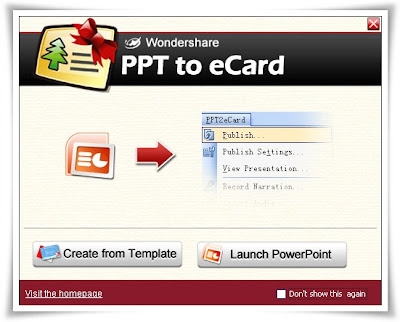
Wondershare PPT to eCard v1.0.0 + Templates


Wondershare PPT to eCard v1.0.0 + Templates
Size (Program): 10.22 MB
Size: (Templates): 39.63 MB


Make and send animated eCards with text effects, photos, background music, voice narration and interactions as your best wishes by e-mail quickly.
Do we have to mail similar paper cards as holiday's gifts? No. Actually eCard makes more nice greetings: animations with music, instant delivery by e-mail and eco-friendly materials. You'll like it.

Unlike online greeting card creation tools, PPT to eCard introduces the idea of creating animated eCards by yourself. You can customize your eCard and then publish and send it within PowerPoint.

Easily make and quickly send eCards within PowerPoint, you may like this way.

Step 1: Select or Create an eCard Template
Open PPT to eCard, choose your favorite eCard design from preset PowerPoint templates, or launch Microsoft PowerPoint to create a new design by yourself;

Step 2: Personalize Your eCard
Personalize your eCard content and enrich it with all possible elements in PowerPoint. Insert pictures, music and voiceover, add transitions, animations and other effects. You can make your eCard as photo album, family presentation or interactive slideshow within PowerPoint;

Step 3: Publish and Review Your eCard
You may customize the output in Publish Settings. Click Publish, complete Title and Publish Location. For your different needs, choose Output Type from one solid SWF file, an executable file, or auto-run CD files. Then click Convert to start PowerPoint to Flash conversion.

Step 4: Review E-mail Content and Settings
If you select Ready to send e-mail after conversion, your eCard is ready to be sent. Click Send E-mail in prompt window, then add recipients, and customize the e-mail message with your personal wishes. You can also utilize the settings of your own mailing server setting to send the eCard;

Step 5: Send Your eCard Now
Finally just click Send Mail to upload your eCard to our FTP server and send your e-mail to recipients instantly. All work is simply done here. So why not have a fresh try now?

System Requirements
:: Microsoft PowerPoint® version 2000/2002/2003/2007
:: Operating System Windows® 2000/XP/2003/Vista
:: RAM 128MB RAM (256 MB Recommended)
:: Available Disk Space 19.6 MB
:: Other Requirements DirectX® 8.1 or above
:: Macromedia® Flash Player
:: Windows-compatible display with at least 800dpi x 600dpi resolution
:: Windows-compatible sound card (recommended)

Download From Rapidshare
Download Program - Download Templates
or
Download From Easy-Share
Download Program - Download Templates


Click Here to Read More

Tuesday, March 25, 2008

CoffeeCup Firestarter 7.2 - Retail


CoffeeCup Firestarter 7.2
Size: 6.87 MB


The Fastest and Easiest way to make Killer Flash Effects for your Website. It quickly creates complex text and image effects with just a few clicks of the mouse. You can make Flash Intro pages, navigation systems, graphic logos, or whatever you want !
Firestarter has over 65 built in ready to use effects like Assemble, Explode, Fade, and more, a collection of cool MP3 Sounds, plus it's all in an easy to use interface. No more struggling with expensive, complex software, with CoffeeCup Firestarter you will be making really cool Effects in a Flash !

With Firestarter you can add text, images, sounds, links, shapes; and control their motion, opacity, layer order and more. Import images from any format, and convert WAV files to MP3 format, then export them as Macromedia Flash (SWF) files. Use built-in FTP support to upload your movies. Use the HTML code-generator to copy and paste code right into your Web pages. Firestarter also includes preview capabilities for movies and special effects, as well as the ability to loop audio clips, resize images, apply fade effects to text and more.


Some Features of CoffeeCup Firestarter
:: Converts GIF Animations to tiny Flash files
:: Creates Awesome Flash Animations with ease !
:: Transparency for animations on any background !
:: Over 65 Easy to use Preset Effects.
:: Easy to Use and Understand Interface
:: Add Text, Images, Sounds, Links and Shapes.
:: Control Motion, Opacity, Layer Order, and more.
:: Import Images from all popular formats.
:: Includes over 50 cool mp3 Sounds.
:: ActionScript Timeline for Greater Control !


Click Here to Read More

MProjector 3.1.1e


MProjector 3.1.1e
Size: 7.34 MB


mProjector enables you to develop windowless Flash applications such as Virtual Toys, Multiple window applications with synchronous inter-window communication, Desktop Toolbars,... mProjector was built with mProjector!

• Synchronous Commands - No FSCommands or Callbacks
mProjector v2 extends ActionScript with five powerful new objects. Unlike other FSCommand-based solutions, these methods are native ActionScript functions which execute synchronously, returning their results immediately. This makes ActionScript code using the mProjector v2 functions easy to understand, follow, and debug. mProjector v2 also supports event handling so your desktop application development looks and feels like any web application.

• Multiple Windows Support
mProjector v3 allows you to create multiple projector windows, each playing a different SWF file. These windows can communicate synchronously using your own functions. Any method you define in a window can be called by any other mProjector window with a reference to the window.

• Windows API - ActionScript COM interface
Since mProjector's objects won't always be enough, mProjector provides you native ActionScript access to the entire Windows API. If you need to launch Windows message boxes or access a Windows database, mProjector enables you to instantiate the necessary COM object.

• Extensible Architecture
mProjector has an expandable architecture. You can add your own functionality by publishing your C++, C#, Delphi, Visual Basic, etc. as a standard COM object, or you can build an mProjector plug-in.


Click Here to Read More

Wednesday, March 19, 2008

Flash Website Design Pro v1.16


Flash Website Design Pro v1.16 (563 Templates)
Size: 34.56 MB


Wide range templates to create flash websites, intros, banners, ads.
Flash Website Design is the great Flash HTML tool to help web master design animated Flash websites, intros, Flash banners, Flash ads. With Flash Website Design you can create your website within 5 mins and without any skill.

The Flash Website Design enables you to create simple as well as complex Flash animations, where by you can combine different fonts and effects within a single Flash animation. Flash Website Design is very user-friendly, wide range effect templates ready for use, and you don't need any Flash/HTML or programming skills to use it.

FEATURES:
* Photo album/slideshow
* Percent loader
* Buttons (Click/MouseOver)
* Three effect background layers
* Many different text effects to choose from
* Many different background effects to choose from
* Save as Flash animation (SWF)
* WYSIWYG interface
* Unicode UTF-8


Click Here to Read More

Monday, March 17, 2008

Springboard v0.85.2


Springboard v0.85.2
Size: 1.84 MB


Springboard is a fast, light, easy-to-use Windows application for easily and quickly sketching and annotating storyboards for film, video, animation, or other dynamic media.

What does it do?
Springboard helps you organize and plan your story visually.

If you've never made a storyboard before: Storyboarding helps you see what your movie will look like before you shoot. This saves you time and lets you explore more options before you commit your choices to film.

If you've made storyboards on paper: Springboard preserves the simplicity of pencil and paper, plus all the flexibility and power of digital media: perfect erasing, copy-and-paste, easy backups, overlays, exporting directly to video and the Web, and much more.

If you've used other storyboard software: Springboard has a fluid, direct, professionally-designed interface that keeps you focused on what you're doing.

Springboard has been used for:
:: Homegrown video projects
:: Animated shorts
:: Feature films
:: Multimedia presentations
:: Theatre set design
:: Comics
:: and more.

System Requirements
:: Tested with Windows 98, Windows 2000, Windows XP, and Windows Vista.
:: WinTab-compatible pens are supported (and recommended), including pressure-sensitivity and eraser mode. Tested with Wacom ArtPad II, Graphire 2, Intuos 2, and Intuos 3.
:: Minimum display resolution: 800 x 600; recommended 1024 x 768 or higher.
:: Minimum system memory: 128 MB.


Click Here to Read More

3DEnvironment v1.0.4 (Flash component)


3DEnvironment v1.0.4 (Flash component)
Size: 4.97 MB


The 3DEnvironment is a Flash component that allows you to build 3D interactive interfaces and environments in Flash. Built-in depth and perspective effects create the illusion of three dimensions. Customizable controls and full keyboard and mouse interactivity enable movement and rotation of the environment. Use simple graphic or movie clip symbols as well as external objects and animated movie clips. Requires no 3D modeling.


Features:

:: Create realistic 3D environments with depth and perspective
:: Build unique interactive interfaces
:: Custom keyboard controls for users to navigate around the 3D environment
:: Mouse wheel support for navigation
:: Move objects in the environment with built-in tweening and customizable tween duration
:: Rotate the world around all three axes (x, y and z)
:: Camera controls for panning and zooming to change the perspective on the environment
:: Add objects through an intuitive user interface, external XML file or using flexible ActionScript controls
:: Built-in preloader for loading external files.
:: Use any movie clip in your library to display in your 3D environment
:: Full ActionScript API - including the ability to move the camera through ActionScript


Click Here to Read More

Thursday, March 6, 2008

CoffeeCup Flash Menu Builder 3.3


CoffeeCup Flash Menu Builder 3.3
Size: 4.80 MB

Add a Flash Menu to Your Website !


CoffeeCup Flash Menu Builder is a quick and easy way to create awesome looking flash menus for your Website. Menu builder includes dozens of high quality buttons, backgrounds and sounds. Create menus and sub menus with fade effects, custom buttons or text. Flash Menu Builder requires no knowledge of Flash or HTML. Simply create your menu, save and upload. It's that easy.

Now you can create Flash Menus for your Website quickly and easily. Each item is a button, that when clicked will display a sub-menu that you can link to different parts of your Website. Use the provided buttons or choose your own to customize the menu to fit your Website. There are so many different choices for customizing the look of your menu. Choose from font styles and sizes to background colors and sounds. Give your users something they can interact with using CoffeeCup Flash Menu Builder.


Some Features of CoffeeCup Flash Menu Builder:
:: Full-Featured Button And Menu Designer
:: Snazzy Fade-In Effects
:: Add Custom Backgrounds And Borders
:: Custom Background Images And Mouse Click Sounds
:: Over 200 Graphics And Buttons Included
:: Convenient FTP tool to upload your files
:: Add Background Images and Sounds
:: Creates a flash SWF file so it is compatible with all browsers


Click Here to Read More

Monday, March 3, 2008

Flash Optimizer 2.0.0.316


Flash Optimizer 2.0.0.316
Size: 10.90 MB

Release date: 29th February, 2008
Flash Optimizer is a handy solution for web-masters, web-designers, Flash professionals and everyone who has ever come in touch with Adobe Flash technology. It can reduce your SWF files size up to 60-70% thanks to advanced algorithms of vectors, shapes, morphing, Z-buffer, fonts, embedded video and other optimizations. Unlike any other similar software Flash Optimizer manages to optimize not only a separate part of your Flash movie, but the whole SWF, including curves, zero-objects, applying ZLib optimization and many other advanced techniques.


Optimize Flash movies with Flash Optimizer and save up to 60-70% of their size!


Flash Optimizer provides the simplest user interface and two types of compression configurations: simple and profound, allowing you to customize more than 50 separate options, reaching the optimum compression with minimum quality loss. Flash Optimizer brings a significant power into hands of Flash users, allowing everyone to save traffic, time and finally money!


Easy controls, easy interface, user-friendly environment. Make your SWF files smaller in seconds!


align="justify">Since Flash Optimizer 2 you are presented with the new greatly improved and simplified user interface which is now separated into 2 tabs that offer advanced functionality on a separate file compression and batch SWF compression.


Choose the most appropriate settings for super compression of your Flash movies.


Full features list:
:: Detailed logging of every event that takes place during compression
:: Command-line interface (available in Business and Company licenses)
:: Batch compression mode
:: Customizable optimization settings presets (compatible with Mac version of Flash Optimizer)
:: Simple and Advanced optimization settings - customize every compression option
:: Easy preview and interactive comparison of the original and compressed movies
:: Intuitive Flash movies manipulation
:: Embedded video compression
:: Fonts optimization
:: Zero-objects optimization
:: Morphing optimization
:: Shapes optimization
:: Vectors & curves optimization
:: ZLib compression (can be applied and removed)
:: Revolutionary compression methods that allow to optimize SWF files to save up to 70% of their original size
:: Sounds compression

Platforms "Flash Optimizer 2.0" is compatible with:
:: Windows 2000
:: Windows 2003 x32
:: Windows 2003 x64
:: Windows XP x32
:: Windows XP x64
:: Windows Vista x32
:: Windows Vista x64


Click Here to Read More

Flash Component - Thumb Gallery v2.0


Flash Component - Thumb Gallery v2.0
Size: 2.48 MB


New functions to control play, pause, next and previous. New properties to control file caching, scale to fit images and randomize images.


Click Here to Read More

Sunday, March 2, 2008

Flash Decompiler Trillix v3.0.3.470


Flash Decompiler Trillix v3.0.3.470
Size: 11.27 MB


Decompile SWF and convert to FLA
Convert SWF to FLA within seconds! Flash Decompiler Trillix is the only application capable of converting SWF to FLA with high speed, high quality and hundreds of additional features. Flash Decompiler Trillix is the ultimate tool to recover your lost FLA files - being the market leader since 2003! Decompile SWF files and obtain source code FLA in seconds. Moreover, since the Trillix version, meaning 3rd, Flash Decompiler supports batch conversion, so you can leave a bunch of different tasks to it and do any other things while Flash Decompiler is working.

Extract SWF Elements
Flash Decompiler Trillix comes in handy when you don't need to re-do the whole SWF file, just some of its elements. You can easily export some separate elements of a Flash movie and save them to your hard drive. Images, sounds, texts, links, morphs, fonts, shapes, sprites, buttons and ActionScripts can be exported in a variety of formats to let you gain the best results possible.

Edit Flash Files
Flash Decompiler Trillix opens a wide range of new creative opportunities when it comes to editing Flash movies. A unique feature of Flash Decompiler Trillix - SWF Editor lets you easily edit images, sounds, texts, links, colors and lines of any Flash movie. SWF files are edited on the go - alter any of its elements, save and watch the result immediately!


Click Here to Read More