My Dear Friends:

We moved to

www.SoftStreet.net


Please come to visit us
Thanks for your patient, Best wishes for you

Friday, March 21, 2008

Mastering phpMyAdmin 2.11 for Effective MySQL Management


Mastering phpMyAdmin 2.11
for Effective MySQL Management
2008 340 Pages - PDF - 4.27 MB


PhpMyAdmin is a well known and popular open-source tool written in PHP intended to handle the administration of MySQL over the Internet. Currently it can create and drop databases, create/drop/alter tables, delete/edit/add fields, execute any SQL statement, and manage keys on fields. While most MySQL developers use routine features of phpMyAdmin every day, few are aware of the power and potential of its advanced features. This book builds a solid understanding of the core capabilities of phpMyAdmin before walking you through every facet of this legendary tool.

MySQL is the most popular open-source database, used by millions of developers and supporting numerous large dynamic websites and applications. MySQL acquired this wide popularity by virtue of its open-source nature, performance, reliability, robustness, and support for various platforms. This popularity has also been helped by the existence of phpMyAdmin, the industry-standard administration tool that makes database management easy for both the experienced developer and the novice.


Click Here to Read More

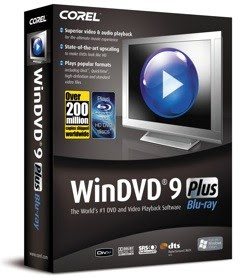
Corel WinDVD Plus 9.0


Corel WinDVD Plus 9.0 Multilingual
Direct Link - Size: 179 MB


WinDVD® 9 Plus is DVD & video playback software that delivers quality and entertainment in style. Enjoy state-of-the-art HD-quality upscaling. Watch your movies on the go with advanced laptop enhancements. Play home movies from AVCHD™ camcorders. For those who want the best, WinDVD 9 offers the ultimate DVD and video playback experience.

DVD & Video Playback for Today
* Entertainment – Experience standard DVDs at amazing HD resolution with state-of-the-art upscaling and motion enhancement.
* Movies on the Go – Watch movies wherever you are. Unique laptop features ensure you never miss the ending!
* Memories – Enjoy the full quality of high-definition home movies recorded with the latest AVCHD™ camcorders.

Make your DVDs look like HD video!
* Unique All2HD upscaling - convert standard DVDs to crisp high-definition video with outstanding color and clarity.
* Digital Natural Motion – choose from several presets for the smoothest possible playback.

Laptop-friendly
* Extend playback time with Battery Optimization.
* Be sure to catch the ending with unique TimeStretch playback.

Complete Format support
* Popular formats – supports DVD-Video, DivX®, RealPlayer®, QuickTime®, Windows Media®, H.264 and AVI.

Stylish Good Looks
* WinDVD 9’s sophisticated new interface blends in seamlessly on your Windows® XP or Vista® desktop.
* Enjoy Easy-to-navigate and clutter-free controls.


FEATURES:

NEW! Unique All2HD Upscaling Technology
• All2HD upscaling converts standard DVD to crisp high-definition video with motion enhancement for outstanding color and clarity.
• Fine-tune the frame rate and increase size - Increases frame size up to FullHD 1080p/60i while maintaining crisp edges.
• NEW! Digital Natural Motion - Uses the latest motion compensation technology. Detecting the original framerate (24, 25 or 30 fps) and intelligently fills in frames on the fly to keep fast moving objects sharp and crisp.
• NEW! De-snow and De-block filters - Removes digital noise from low-resolution video and blocky digital artifacts from compressed video.
• NEW! AVCHD Camcorder Compatibility - Enjoy direct playback of high-definition home movies recorded with the latest AVCHD camcorders from Canon, Sony & Panasonic, either copied from the camcorder hard drive, or on AVCHD disc, or memory card.
• Top Video Technologies - Intel® Clear Video™ and NVIDIA PureVideo® graphics processing.
• Laptop-friendly - Extend playback time with Battery Optimization, and be sure to catch the ending with unique TimeStretch playback.

The Best Audio Technologies
• Dolby Headphone™ - Combines 5.1 surround signals to create a vivid surround sound environment on standard headphones.
• Dolby Pro Logic IIx™ - Transforms 2-channel (stereo) audio from movies and music into 5.1 channel surround sound, or expands 5.1 sources up to 9-channel (7.1) speaker systems. Choose Movie or Music modes to optimize your listening experience.
• DTS® Surround Audio - Superior digital theatre surround sound for the PC to bring clarity and depth to any soundtrack. Supports up to 6-channel digital sound for titles with DTS technology.
• 96 Khz/24-bit audio decoding – Play back high quality audio. SRS audio technologies- Selectively enhance movie dialog or music, or create a virtual surround effect on two speakers.

Broad Format Support
• Standard Definition Video. Play your video clips in any of the standard-definition formats, including DVD-Video, DivX®, Real Player®, QuickTime®, Windows Media®, and AVI.
• HDTV Support. WinDVD can navigate and decode MPEG2 Transport Stream video so users can watch captured HDTV programs. WinDVD 9 also provides navigation tools so users can easily select content to view.
• H.264 Support – Smoothly plays back the next-generation format for premium content and downloaded video, in standard as well as high-definition.

More video effects and convenient playback controls
• NEW! Enhanced Layout. A clutter-free and easy-to-navigate interface redesigned to let you find just the tools you need.
• Enhanced UPnP Client – Plays back content from other UPnP-certified devices within a home network, with enhanced thumbnail views of available clips on the network.
• Capture Image/QuickClip – The new capture controls make it even easier to grab your favorite movie scene as a still picture or animated clip, that you can easily share with friends via email or mobile phone!
• Instant Replay – Ctrl-B lets you jump back to the line you missed, or catch that action sequence again!

Direct Link Download

keys:

WV09WRX-2040327-QVR
WV09WRX-2356708-HHU
WV09WRX-2021328-BPF
WV09WRX-6256030-XYR


Click Here to Read More

USB Safely Remove 3.31


USB Safely Remove 3.31
Size: 3.76 MB


USB Safely Remove is a neat and handy replacement for the standard 'Safely Remove Hardware' tool. It will make life easier and save time for those who have several hotplug (USB, SATA, Firewire) devices and those who use them extensively.

Features :
:: Keyboard shortcuts for easy device stopping
:: Real device names
:: Hiding any device from stop menu
:: Forced device stop


Why do I need USB Safely Remove?
1 . Your data will never be lost when using it.
2 . A device will never be stopped accidentally, because USB Safely Remove assigns the correct device names. It can also hide any device that will never need to be stopped.
3 . It saves time, because a device can be stopped in one click. This avoids the uncertainty of guessing the reason why a device cannot be stopped.

USB Safely Remove is comfortable and safe replacement for the standard "Safely Remove Hardware" tool. The program has a lot of features designed for comfortable and pleasant work with hotplug devices (USB, SATA, FireWire).


Safely remove in one click
It is an original and comfortable method to safely remove a device, find out what devices are connected and view the contents of their drives. Just move the mouse pointer over the tray icon of the program and you will see a multi-featured quick stop menu with the device list...

Get rid of unnecessary devices!
Are you afraid to accidentally stop the card reader built into your laptop or a dongle? Annoyed by a SATA hard drive or an ADSL modem in the device list? Now you can hide any device from the stop menu in one step.

Global keyboard shortcuts
Like to do everything using the keyboard? Now you can stop and view devices with only ONE hotkey! No need to remember keyboard shortcuts for each device. Being in any application, press the key combination (Win+S by default) and you will see the stop menu. Use the UpDown Arrow keys to select the device you need and either press Enter to stop it or Ctrl+B to view the contents of the device disks.

Correct and clear device names
With USB Safely Remove, you will easily find the device you need to stop because the program detects the actual names of devices. The names the manufacturer gave them. Besides, you can think of your own name for a device and also assign an image for it.

The device cannot be stopped right now. Why?
Ever encountered the situation when Windows does not allow you to remove a device? Now this problem is solved once and for all. USB Safely Remove will show you what programs do not allow you to stop the device and you will stop disable them in one step.


Unique technology: "Guaranteed device stop"
Sometimes Windows does not allow you to remove a device even if you close all suspicious programs. It is a problem in the Windows kernel. It especially often occurs in Windows XP. In most cases, USB Safely Remove allows you to absolutely safely stop the device without losing any data. And it means that now you can rest absolutely assured about the safety of your data.

Notifications about connected and removed devices
Many people feel uncomfortable when they get no respond to their actions. USB Safely Remove is completely devoid of this problem: the program show a notification not only after the device is disconnected, but also after it is connected. Thus, you will always know whether Windows has successfully recognized the device and it can be used. Besides, the program notifies you about the disk letter assigned to the device.

Starting programs after connecting and before removing a device
Another USB Safely Remove feature that distinguishes it from similar software is starting any applications not only after connecting a device, but also before removing it. This feature allows you to back up data before disconnecting a removable hard drive, to run Total Commander with the contents of the drive on the connected flash disk, automatically unmount an encrypted TrueCrypt drive before disconnecting the USB media, etc.

Automating work with devices
USB Safely Remove has a powerful and convenient command line: usr.exe. It allows you to automate work with any devices. For example, you can automatically stop devices according to schedule or in case of any other event.

Working with any hotplug devices - USB, SATA, FireWire
Another important difference between the program and the standard Safely Remove Hardware icon is the possibility to see and disable all hotplug devices. If USB Safely Remove does not show the device you need, select the "Display all storage devices" checkbox in the USB Safely Remove settings.

Displaying volume labels instead of device names
If you have several devices of the same type (like flash disks and removable hard drives), it will be much more convenient to see volume labels instead of device names. To do it, just select the "Show volume names instead of device names" checkbox.

Customizable icon in the system tray
Many people complain that the standard Safely Remove Hardware icon sometimes disappears at the most inappropriate moment. USB Safely Remove completely replaces the standard Safely Remove Hardware icon with its own icon. By default, the USB Safely Remove icon is always displayed in the tray, which gives you quick access to the features of the program and makes using USB more clear and predictable. However, you can change this behavior and the icon will disappear when there are no devices connected to the computer. To do it, select the "Hide icon when there are no devices to be stopped" checkbox in the "Look And Feel" section of the settings.

Download From Rapidshare
or
Download From Easy-Share

Ps: Some antivirus (like Avast , AVG ..) detect most keygen with trojan/virus. All my uploads are scanned by nod32/trojan remover with latest update. Found nothing !.


Click Here to Read More

Wopti Utilities Special Edition v7.80.8.319


Wopti Utilities Special Edition v7.80.8.319
Size: 5.01 MB


Optimize, clean up, maintain and speed up PC. Detect software and hardware information. Wopti Utilities is an all-in-one system utility to optimize,clean up,maintain and speed up your PC. It also gathers detailed and accurate software and hardware information for you to know your PC better.

Wopti Utilities includes 30+ utilities grouped in four general modules (System Information, System Optimization, System Cleaning and System Maintanance), all designed to boost your PC's performance.


Here are some key features of "Wopti Utilities":
:: Overall system optimization options
Optimization of Disk Cache, Desktop Menu, File System, Network, Boot Speed, Security, Backstage Service, etc.
Simple and convenient auto-optimization wizard and optimizes automatically according to detected information of software and hardware
"Restore" function to each optimized item, press one key to restore
if users are not satisfied with the optimization

:: Detailed and accurate system detection
Analyze system deeply and provide detailed and accurate information of hardware and software
Provide suggestions for enhancing system performance according to the detection
Provide system performance test to help users understand CPU/memory speed, graphic card speed, etc.
Detection result can be saved as file for future comparison and reference

:: Powerful cleaning function
Registry Cleaner: Cleans registry rapidly and safely
Junk File Cleaner: Cleans redundant files in hard disk or specific directory
Redundant DLL Cleaner: Analyzes redundant DLL in hard disk and remove after backup
ActiveX Cleaner: Analyzes redundant ActiveX/COM components and remove after backup
Software Intelligent Uninstaller: Automatically analyzes the related files in hard disk and information in registry of the selected files and remove after backup
Backup and Recovery Manager: All removed items can be recovered from "Backup and Recovery Manager" of Wopti Utilities


:: Effective system maintenance
Driver Intelligent Backup: Intelligent backup of drivers for future system re-installation
System Disk Doctor: Tests and repairs disk problems such as abnormal shutdown, disk bad sectors etc.
Memory Defrag: Releases memory easily. Occupies only small space when releasing , users can stop the process anytime to get more memory for applications
Process Management: Application process management tool
File Wiper: Deletes files un-recoverably
Drive intelligent backup,system disk doctor


Click Here to Read More

Apollo Audio DVD Creator 1.2.44


Apollo Audio DVD Creator 1.2.44
Size: 4.14 MB


Apollo Audio DVD Creator is an innovative tool to make your own music DVD. With Apollo Audio DVD Creator you can easily import over 1000 songs(MP3, WAV, WMA, OGG, MPG, AVI etc) or grab tracks directly from Audio CDs and burn into DVDR/RW disc.With powerful DVD navigation menu,you could browse and enjoy your favorite albums conveniently on car or home DVD player.

Features:
:: Put more than 1000 songs on one DVD with top audio quality.
:: Support importing various media formats,include MP3, WAV, WMA, OGG, MPG, AVI, WMV, ASF, AC3, RM anything playable on your PC.
:: Put 5-6 Audio CDs on one DVD disc with CD audio quality.
:: Direct CDs to DVD Copy without losing quality.
:: Burn DVD-Video compliant Disc that playable on any car or home DVD player.
:: Support LPCM, AC3, MP2 audio on DVD.
:: Super fast speed, only need about 30 minutes to create a LPCM format Audio DVD.
:: Create DVD navigation menu automatically with built-in background images.
:: Support various image formats as DVD menu background,include bmp,jpg,gif.
:: Save/load your project, and edit it anytime.
:: Create audio DVD to hard disk for later burning.
:: Support NTSC and PAL TV system.
:: Support a broad range of DVD-R/RW and DVD+R/RW burners.
:: Neat User Interface, 3 steps to burn your music DVD without any complicated parameter settings.


Click Here to Read More

NetInfo 6.4


NetInfo 6.4
Size: 2.25 MB


NetInfo is a network toolkit that includes 15 standard networking tools to help diagnose network problems and gather information about users, hosts and networks on the Internet or on your Intranet. They include Local Info, NetStat, Ping, Traceroute, Whois, Finger, Whois, Daytime, Time, Quote, HTML, Port Scanner and E-mail verification. The registered version of NetInfo also provides access to a WebCenter, which allows you to perform many of the functions from an online server that is outside your local network.

Main Features
:: Local Info - Displays system IP addresses and MAC addresses.
:: Connections - Displays all local TCP/IP connections and their foreign connection IP address.
:: Ping - Allows you to quickly verify network connectivity to another IP address on the network.
:: Trace - Displays a list of routers between your system and the destination system.
:: Lookup - Allows you to perform DNS forward and reverse lookup queries.
:: Finger - Displays information about users currently logged on to a specified server.
:: Whois - Allows you to query contact information for domains registered with a Whois server.
:: Daytime - Displays the local time of day for any remote host specified.
:: Time - Allows you to query the time value from a remote time server and synchronize the time value with your local system clock.
:: Quote - Allows you to view quotations from a remote Quote server.
:: HTML - Displays the HTML header code and the page data for any Web page address specified.
:: Scanner - Scans for host names for a particular range of IP addresses and displays the state of each IP address in the range.
:: Services - Lists the available network services (HTTP, Telnet, DNS, SMTP, and so on) for a particular host.
:: E-mail - Allows you to verify any e-mail address by simply entering a full user principal name (user@domain.com).
:: Web Center - Displays available online tools, how-tos, tips, and news.


Click Here to Read More

Periodic Table 3.5


Periodic Table 3.5
Size: 13.67 MB


An application containing all the elements of the Periodic Table along with images of the elements in their natural state.

Features:
:: Detailed information on each element
:: Images for each element (126 images in total)
:: Glossary
:: Graphs of important element properties
:: Biographies for the element discoverers
:: Interactive display allows you to view the states of the elements at any temperature (from 0 - 6000k)
:: XP style support
:: Search the all of the element, biography and glossary pages.
:: Electron shell diagrams of each element
:: Atomic width diagram
:: Element names and the majority of the applications buttons are now available in eight different languages. Unfortunately there is just too much text for me to translate (92000+ words).

What's New in version 3.5:
:: Added isotope abundance graph
:: Added full electron configuration to box notation display
:: Added a few of new images
:: The text now follows IUPAC convenctions
:: Much improved data page navigation
:: Some bug fixes and GUI logic improvements
:: The version 2.0+ Periodic Table requires a screen resolution of 1024x768 or greater. If you run your PC at a resolution below this then you may want to download the older version (1.63) that will run fine at resolutions of 800x600.


Click Here to Read More